
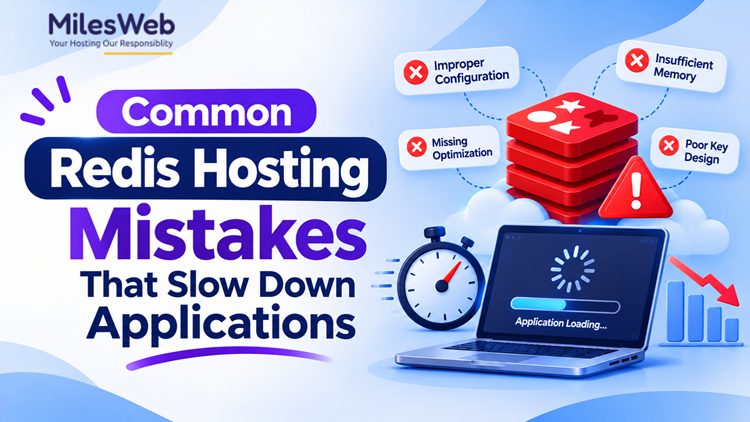
Redis is a widely used in-memory data storage system that keeps frequently requested data in RAM, so the application can serve repeat requests without querying the primary database each time. However, the speed of Redis depends largely on the server that hosts it. A VPS or dedicated server with a poor configuration can restrict the memory available to Redis and add network delay. Limited memory and network latency can both create inconsistent response times, even when Redis itself is installed correctly.
This article explores common Redis hosting mistakes that impact application performance and outlines practical strategies to prevent them.
How does Redis hosting work?
Redis runs as a server program and stores data in server memory. When an application needs data, it sends a request to Redis over the network and receives the result within a very short time. Reading from memory takes lesser time as compared to reading from disk, as a result, Redis responds faster as compared to a conventional database.
There are two common hosting options:
- A VPS gives you a fixed share of a physical machine. It costs less and is simple to set up, so many small projects start with hosting on a VPS.
- A dedicated server gives you an entire machine with no other customers on it. Busy applications and large datasets often move to reliable Redis vps server hosting for more consistent performance.
Both [6] hosting options can perform well when the server has enough memory, processing power, and network capacity to handle Redis and the application’s traffic. Trouble starts when they do not. If the server has too little memory, Redis slows down or drops data. If the network path is long, every request waits longer. If the server goes offline, the main database has to manage all the traffic alone, and the application slows down or stops.
Common Redis Hosting Mistakes
These are some of the most common Redis hosting mistakes that can affect your application’s performance.
Insufficient Memory
Redis stores all of its data in RAM. That is why it responds so quickly, but it also means that insufficient memory can affect performance and limit the amount of data Redis can store.
When a Redis server starts running low on memory, it does not always fail right away. It may begin removing older keys to make room for new data. In other cases, the server starts moving memory to disk. That second situation is worse because disk access is much slower than RAM, and even short periods of swapping can make Redis feel sluggish.
How to avoid it: Estimate how much data you expect to store, add room for growth, and leave enough memory for the operating system. It is also wise to upgrade before memory usage gets close to the limit rather than waiting until problems appear.
Network Distance
Every Redis command is sent from your application to the Redis server, and the server then sends a response back. When the application and Redis server are hosted in the same data center, this exchange usually happens very quickly. However, if the application and Redis server are located in different cities or regions, the delay increases.
On its own, one slow request may not matter much. But one page load or API request can send several commands to Redis, and each command has to travel over the network and back. A delay of a few milliseconds is minor on its own, yet ten commands in a row can significantly increase the time for a[9] single response.
How to avoid it: Host Redis in the same data center as the application wherever possible, because shorter network distance reduces latency. If that is not possible, use the same cloud region, because distance adds latency to every request. If your provider offers a private network, use it instead of routing traffic over the public internet.
Shared Hosting Resources
A VPS often means sharing a physical machine with other customers. If one of those customers suddenly consumes a large share of CPU or disk I/O, your Redis instance may slow down even though nothing has changed in your application.
This kind of problem can be frustrating because it is intermittent. Everything may look normal during testing, but then response times rise during peak hours for reasons that are not obvious.
How to avoid it: Choose a host that guarantees resources for each plan rather than one that oversells capacity. If inconsistent performance continues, moving Redis to a dedicated server removes the shared-resource variable entirely.
Lack of Monitoring
Redis rarely fails loudly. Performance tends to erode quietly: memory creeps upward, latency increases slightly, and the system keeps running until users start complaining. That is why monitoring should be in place from day one.
How to avoid it: Track memory usage, CPU load, connection counts, and response times. Set an alert well before memory usage becomes critical so your team has time to respond calmly instead of scrambling during an incident.
Configuration Errors
Even a well-provisioned server cannot compensate for incorrect configuration, and strong configuration cannot fully offset inadequate resources. The following settings have the greatest operational impact.
Missing Memory Limit
If you do not set a memory limit, Redis will keep using more memory as your data grows. Eventually, the server itself runs out.
You also need an eviction policy. This tells Redis what to remove when it hits the memory limit. Without one, Redis may refuse new writes instead of freeing space. Redis lets you choose from several eviction strategies, including least-recently-used, least-frequently-used, random, and TTL-based approaches.
For a straightforward cache, allkeys-lru is a common choice because it removes the least recently used keys first. Set maxmemory below the server’s total memory so the operating system still has room to operate.
Excessive Disk Persistence
Redis can persist data to disk so it survives a restart. That is useful, but frequent saves can be expensive—especially on slow disks or shared VPS plans.
Each save takes time and resources, and on slower storage it can briefly pause Redis operations. The right approach depends on what the data is worth. If Redis is only a cache and the underlying data can be rebuilt, you may need very little persistence. If losing data would be a real problem, use regular persistence backed by fast, reliable storage.
Public Internet Exposure
An unauthenticated Redis server that accepts outside connections is a serious risk. Attackers routinely scan for exposed Redis instances, and even failed connection attempts consume resources. Worse, someone who gets in may be able to read or alter your data.
Use a strong password, allow connections only from your application’s addresses, and keep Redis on a private network. Redis’s own security guidance recommends restricting access to trusted clients and denying external access to the Redis port.
Conclusion
The majority of Redis hosting issues can be attributed to a few common factors: insufficient memory, a server located too far from the application, shared resources, missing limits, and a lack of monitoring.
None of these is difficult to address if you handle them early. Match the hosting plan to your workload, keep Redis near your application, set sensible memory and security settings, and monitor the important metrics regularly. Doing so turns most potential incidents into minor maintenance tasks.
Reviewed by: Vicky Patel – SEO Specialist & Founder of VP DigiWeb with 9+ years of experience in SEO and digital marketing.