
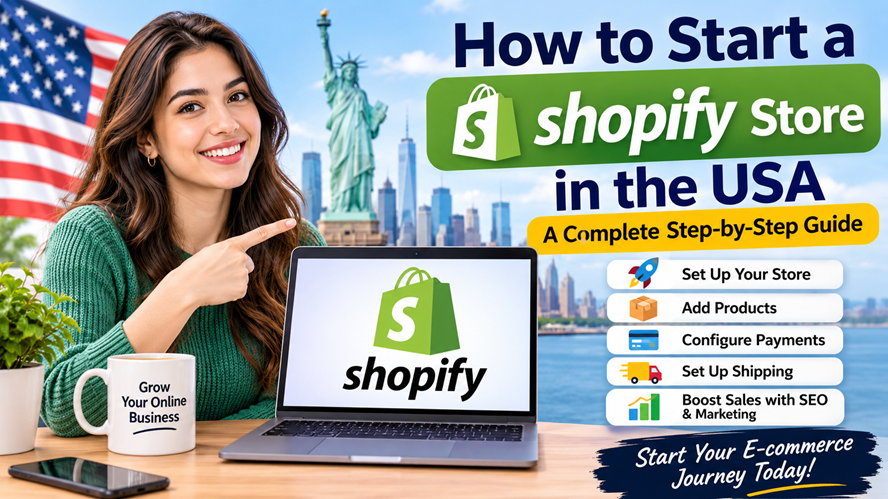
Starting an online business in the United States has become more accessible with ecommerce platforms like Shopify. Whether you want to sell clothing, beauty products, electronics, home accessories, handmade items, or digital products, Shopify provides the tools needed to build and manage an online store without extensive technical knowledge.
However, launching a successful Shopify store involves more than selecting a theme and uploading products. You need to choose the right business model, research your market, establish payment methods, understand US business and tax requirements, optimize your website, and develop a marketing strategy that attracts customers.
If you are planning to start an online store in the USA, this guide explains how to create a Shopify store from scratch, configure essential settings, add products, optimize your store for search engines, and generate your first sales.
1. Decide What You Want to Sell
Before creating your Shopify account, decide what products you want to sell. Your product selection will influence your store design, pricing, marketing strategy, shipping requirements, and overall business model.
Some popular ecommerce product categories in the US market include:
- Clothing and fashion accessories
- Beauty and skincare products
- Home decor and furniture
- Fitness and wellness accessories
- Pet supplies
- Electronics and gadgets
- Jewelry and personalized gifts
- Kitchen and lifestyle products
Instead of selecting products based only on popularity, research whether people are actively searching for them and whether there is enough demand to support a profitable business.
How to Find Profitable Products
Consider the following factors when researching products:
Market demand: Use Google Trends, keyword research tools, and marketplace research to understand whether people are interested in your products.
Competition: Analyze existing ecommerce stores and identify opportunities to differentiate your products through pricing, quality, branding, or customer experience.
Profit margins: Calculate product costs, shipping, packaging, transaction fees, advertising expenses, and other operating costs before deciding your selling price.
Shipping requirements: Consider product size, weight, fragility, delivery time, and fulfillment costs.
Repeat purchase potential: Products that customers purchase regularly can help create a more predictable revenue stream.
For example, selling generic phone accessories may involve significant competition. However, targeting a specific audience with premium accessories or customized products could help your store establish a clearer market position.
2. Choose the Right Ecommerce Business Model
Shopify supports several ecommerce business models. Your choice will depend on your investment budget, product availability, operational capabilities, and business goals.
Dropshipping
Dropshipping allows you to sell products without maintaining your own inventory. When a customer places an order, your supplier fulfills and ships the product directly to the customer.
Advantages include:
- Lower initial inventory investment
- No need to manage a warehouse
- Ability to test different products
- Easier product catalog expansion
However, supplier reliability, shipping times, product quality, and customer service remain your responsibility.
Print-on-Demand
Print-on-demand is suitable for entrepreneurs selling customized products such as T-shirts, hoodies, mugs, phone cases, and posters.
Products are manufactured after customers place orders. This eliminates the need to purchase large quantities of inventory in advance.
Private Label
Private labeling involves selling products manufactured by another company under your own brand.
This model gives you greater control over branding, packaging, and product positioning. However, it generally requires more investment and supplier coordination.
Holding Your Own Inventory
If you already manufacture or source products, you can store inventory and fulfill orders yourself or work with a third-party logistics provider (3PL).
This approach provides more control over product quality, packaging, and delivery operations.
Choose a model that matches your financial resources and long-term objectives.
3. Create Your Shopify Account
Once you have selected your business model and products, the next step is creating your Shopify account.
Visit the official Shopify website:
Follow these steps:
- Visit Shopify and select the option to start a free trial or sign up.
- Enter your email address and create an account.
- Follow the onboarding instructions.
- Provide information about your business and selling plans.
- Access your Shopify administration dashboard.
- Review the available plans and select one that meets your requirements.
Shopify provides a centralized dashboard where you can manage products, orders, customers, payments, shipping, marketing, and store settings.
You can initially explore the platform before committing to a paid subscription. Check Shopify's current pricing and promotional terms because offers and plan features can change.
4. Choose a Domain Name for Your Shopify Store
Your domain name is the web address customers use to visit your ecommerce website.
For example:
- yourbrand.com
- yourbrandstore.com
- shopyourbrand.com
For a business targeting customers in the United States, a .com domain is generally a practical choice because it is familiar and widely recognized.
Tips for Choosing a Domain Name
- Keep it short and easy to remember.
- Use your brand name whenever possible.
- Avoid complicated spellings and unnecessary numbers.
- Make sure it is easy to pronounce.
- Check domain availability before finalizing your business name.
- Check for potential trademark conflicts.
You can purchase a domain through Shopify or a third-party domain registrar and connect it to your store.
A professional domain name helps establish brand credibility and makes your ecommerce business easier to recognize.
5. Select and Customize Your Shopify Theme
Your Shopify theme determines how your online store looks and how customers interact with your products.
A professional ecommerce website should be visually appealing, easy to navigate, mobile-friendly, and optimized for conversions.
Shopify offers free and paid themes through its theme marketplace.
When selecting a theme, consider:
- Mobile responsiveness
- Page loading performance
- Product page customization
- Collection page layouts
- Navigation and filtering options
- Product image presentation
- Checkout experience
- Compatibility with essential apps
Essential Shopify Store Pages
Your website should include the following pages:
Homepage: Introduce your brand, highlight featured products, communicate your unique selling proposition, and guide visitors toward important collections.
About Us: Explain your brand story, business values, and what makes your products different.
Contact Us: Provide a contact form, business email, and other appropriate customer support information.
Shipping Policy: Explain shipping destinations, processing times, estimated delivery periods, and shipping charges.
Return and Refund Policy: Clearly explain your return conditions, refund process, and applicable exceptions.
Privacy Policy: Explain how customer information is collected, used, and protected.
Terms of Service: Establish the terms and conditions governing the use of your website and purchases.
FAQ Page: Answer common questions about products, orders, payments, shipping, and returns.
Make sure your policies reflect your actual business practices and applicable legal requirements.
6. Add Products to Your Shopify Store
After setting up your theme, start adding products to your store.
From the Shopify admin dashboard, navigate to Products and select the option to add a product.
For each product, provide the following information:
- Product title
- Detailed product description
- High-quality product images
- Product price
- Compare-at price, where applicable
- Inventory information
- Product variants
- SKU and barcode, where applicable
- Shipping weight and product dimensions
- Product category and relevant attributes
Write SEO-Friendly Product Descriptions
Product descriptions should communicate the benefits, features, specifications, and intended use of each product.
Avoid copying descriptions directly from suppliers or manufacturers.
Instead, create original content that addresses customer questions and incorporates relevant search terms naturally.
For example, if you sell a leather handbag, your product description could include information about:
- Material and construction
- Dimensions and storage capacity
- Available colors
- Carrying options
- Everyday use cases
- Care instructions
Use descriptive product titles rather than generic names.
For example:
Generic: Women's Bag
Optimized: Women's Genuine Leather Crossbody Handbag
The objective is to help customers understand the product while improving its relevance to search queries.
7. Configure Shopify Payments and Other Payment Methods
A convenient checkout experience is essential for converting website visitors into paying customers.
If your business is eligible, Shopify Payments can provide an integrated payment solution. Other supported payment providers may also be available depending on your business location.
Common payment options for US ecommerce customers include:
- Credit and debit cards
- Shop Pay
- PayPal
- Apple Pay, where supported
- Google Pay, where supported
- Other eligible third-party payment methods
Setting Up Payments
- Open your Shopify admin dashboard.
- Navigate to Settings.
- Select Payments.
- Review the payment providers available for your business location.
- Complete the required business verification.
- Configure your payment settings.
- Test your checkout experience before launching.
Payment provider availability depends on your business location, legal entity, verification status, and other eligibility requirements.
Important: A US-facing Shopify store does not automatically qualify for US-based Shopify Payments. If you are operating from another country, you must follow the requirements applicable to your actual business location.
8. Set Up Shipping and Delivery for US Customers
Shipping is an important part of the customer experience. Customers want clear delivery estimates, reasonable shipping charges, and reliable order fulfillment.
If you are selling within the United States, configure your shipping strategy according to your product type, fulfillment location, and target states.
Common Shipping Options
Free Shipping: You can offer free shipping on all orders or above a specific purchase amount.
Flat-Rate Shipping: Charge a fixed shipping amount regardless of the order value or destination within a defined shipping zone.
Carrier-Based Rates: Use available carrier integrations or shipping services to calculate shipping costs.
Third-Party Fulfillment: Work with a fulfillment provider to store inventory, process orders, and ship products to customers.
Configure Shipping Settings
- Open Shopify admin.
- Navigate to Settings.
- Select Shipping and delivery.
- Configure shipping profiles.
- Add applicable shipping zones.
- Define shipping rates.
- Review product-specific shipping requirements.
- Test the checkout process using different delivery addresses.
If you are dropshipping, confirm that your suppliers can deliver to your target US locations within the timeframes advertised on your website.
Never promise delivery times that your supplier or fulfillment provider cannot consistently meet.
9. Understand US Business Registration and Tax Requirements
Before accepting orders, understand the legal and tax obligations associated with your business.
The requirements depend on your business structure, physical presence, operating location, sales destinations, and other circumstances.
Choose a Business Structure
Common US business structures include:
Sole Proprietorship: A simple structure where an individual operates a business without forming a separate legal entity.
Limited Liability Company (LLC): An LLC can provide liability protection and flexible tax treatment, subject to applicable rules.
Corporation: A corporation is a separate legal entity that may be appropriate for businesses with specific ownership, investment, and growth requirements.
You should evaluate your options with a qualified business or tax professional before registering.
Obtain an EIN if Required
An Employer Identification Number (EIN) is issued by the Internal Revenue Service (IRS). Businesses may need an EIN for tax administration, banking, hiring employees, and other purposes.
Not every sole proprietor is required to obtain one, so check the IRS requirements applicable to your situation.
Understand Sales Tax
Sales tax requirements vary by state and local jurisdiction.
An ecommerce business may have sales tax collection obligations when it establishes a physical or economic nexus in a particular state.
Economic nexus rules can apply when sales or transaction volumes exceed state-specific thresholds.
Shopify provides tools that can help merchants configure and manage sales tax, but the merchant remains responsible for determining where registration and collection are required.
What If You Are Starting From Outside the USA?
International entrepreneurs can sell to US customers through Shopify, but operating a US-targeted store is different from establishing a US legal entity.
If you are based outside the United States, investigate:
- Business registration requirements in your home country
- US entity formation requirements, if applicable
- Payment provider eligibility
- Banking requirements
- International tax obligations
- US sales tax exposure
- Customs and import requirements
Consult qualified professionals before making decisions about incorporation or cross-border tax compliance.
10. Install Essential Shopify Apps
Shopify apps allow you to add functionality without building every feature from scratch.
However, installing too many apps can increase costs, create compatibility issues, and affect store performance.
Start with apps that solve specific business problems.
Useful Shopify App Categories
SEO Apps: Help manage SEO elements such as metadata, structured data, image optimization, and redirects.
Email Marketing Apps: Support automated emails, abandoned checkout recovery, newsletters, and customer retention campaigns.
Product Review Apps: Allow customers to share product ratings, reviews, and feedback.
Inventory Management Apps: Help synchronize inventory and manage stock levels.
Shipping Apps: Support shipping labels, fulfillment, and tracking notifications.
Customer Support Apps: Provide live chat, helpdesk, and customer communication features.
Before installing an app, review its pricing, functionality, compatibility, and impact on website speed.
11. Optimize Your Shopify Store for SEO
Launching a Shopify store does not guarantee that customers will find it through Google.
Search engine optimization (SEO) helps your ecommerce website appear for relevant searches and attract visitors who are actively looking for your products.
A well-planned Shopify SEO strategy should cover technical SEO, on-page optimization, collection page optimization, product page content, and authority building.
Conduct Keyword Research
Start by identifying the keywords your potential customers use when searching for products.
For example, a store selling home furniture might target:
- Modern living room furniture
- Affordable bedroom furniture
- Small space storage solutions
- Modern wooden coffee tables
- Best furniture for apartments
Focus on keywords that match your product offerings and customer search intent.
You can use tools such as Google Search Console, Google Keyword Planner, Semrush, and Ahrefs to identify relevant keyword opportunities.
Optimize Product Pages
Each product page should have:
- A unique SEO title
- A compelling meta description
- A descriptive product URL
- An optimized H1 heading
- Original product descriptions
- Relevant internal links
- Descriptive image alt text
- Appropriate product structured data
Avoid using identical SEO titles and descriptions across multiple products.
Optimize Collection Pages
Collection pages are particularly important for ecommerce SEO because they help customers discover related products.
For example, a jewelry store might create collections such as:
- Engagement Rings
- Diamond Earrings
- Gold Necklaces
- Wedding Bands
- Tennis Bracelets
Each important collection should have a unique title, descriptive content, relevant products, and an optimized meta description.
Improve Technical SEO
Technical SEO helps search engines crawl, understand, and index your website.
Important Shopify technical SEO activities include:
- Submit your XML sitemap to Google Search Console.
- Check indexing and crawling issues.
- Optimize internal linking.
- Fix broken links and redirect errors.
- Avoid unnecessary duplicate pages.
- Review canonical tags.
- Optimize Core Web Vitals.
- Compress and properly size product images.
- Implement relevant structured data.
- Ensure mobile usability.
Shopify automatically generates certain SEO elements, including XML sitemaps and canonical tags in standard configurations. However, you should still audit your store to identify issues that require attention.
Build Relevant Backlinks
Backlinks from relevant and trustworthy websites can help strengthen your store's authority.
Consider:
- Ecommerce guest posting
- Relevant industry publications
- Digital PR campaigns
- Brand mentions
- Supplier and partner links
- Useful industry resources
- Original research and product guides
Focus on relevance and editorial quality rather than acquiring large numbers of low-quality links.
For businesses that need professional support, explore VP DigiWeb's SEO services.
12. Set Up Google Analytics and Google Search Console
Analytics and search performance tracking help you understand how people discover and interact with your Shopify store.
Google Analytics 4
Google Analytics 4 (GA4) helps track website activity, including:
- Website visitors
- Traffic acquisition channels
- Product views
- Add-to-cart activity
- Checkout behavior
- Purchases
- Revenue and ecommerce events
Use GA4 to understand which marketing channels generate valuable traffic and sales.
Google Search Console
Google Search Console provides information about your website's organic search performance.
You can use it to monitor:
- Organic clicks
- Search impressions
- Average search positions
- Search queries
- Page indexing
- Sitemap status
- Mobile and search-related issues
Connect and verify your Shopify domain in Google Search Console, then submit your sitemap.
Monitor your performance regularly to identify keywords and collection pages with growth opportunities.
13. Create a Marketing Strategy to Generate Your First Sales
Once your Shopify store is ready, the next challenge is attracting potential customers.
A combination of organic and paid marketing can help you build visibility and generate sales.
Search Engine Optimization
SEO can help your store attract customers through non-paid search results.
Create useful content around your products, optimize collection pages, improve product descriptions, and build relevant backlinks.
For example, a skincare store could publish articles about skincare routines, ingredient comparisons, and product selection guides while linking naturally to relevant product collections.
Social Media Marketing
Platforms such as Instagram, Facebook, Pinterest, and TikTok can help ecommerce brands showcase their products and reach relevant audiences.
Consider:
- Product demonstrations
- Customer testimonials
- Short-form videos
- User-generated content
- Product comparisons
- Behind-the-scenes content
- Seasonal promotions
Choose platforms based on where your target audience spends time.
Email Marketing
Email marketing helps you build relationships with customers and encourage repeat purchases.
Useful automated campaigns include:
- Welcome emails
- Abandoned checkout reminders
- Order confirmations
- Shipping updates
- Post-purchase follow-ups
- Product recommendations
- Win-back campaigns
Always follow applicable email marketing and privacy requirements.
Paid Advertising
Paid campaigns through Google Ads and social advertising platforms can help you reach potential customers more quickly.
However, advertising should be supported by proper product pages, conversion tracking, realistic profit margins, and a clear customer acquisition strategy.
Start with controlled budgets, measure results, and optimize campaigns based on actual performance.
14. Test Your Shopify Store Before Launching
Before making your website publicly available, test the complete shopping experience.
Use the following checklist:
- Verify that all website pages work correctly.
- Check the website on mobile devices and desktops.
- Test product pages and collection navigation.
- Confirm product prices and inventory.
- Test payment methods using the appropriate test process.
- Verify shipping rates and delivery settings.
- Check discount codes.
- Review privacy, refund, and shipping policies.
- Test contact forms and customer notifications.
- Check website speed and image loading.
- Verify analytics and conversion tracking.
- Check SEO titles, descriptions, and canonical URLs.
- Remove password protection when you are ready to launch.
A properly tested website helps prevent avoidable customer experience and checkout problems.
15. Monitor Performance and Improve Your Store
Launching your Shopify store is only the beginning. You need to continuously evaluate its performance and identify opportunities to improve sales.
Monitor these important metrics:
Conversion Rate: The percentage of visitors who complete a purchase.
Average Order Value (AOV): The average amount customers spend per order.
Customer Acquisition Cost (CAC): The amount spent to acquire a new customer.
Customer Lifetime Value (CLV): The estimated revenue generated by a customer over their relationship with your business.
Cart Abandonment Rate: The percentage of shopping carts or checkout journeys that do not result in a purchase.
Organic Traffic: The number of visitors coming from unpaid search engine results.
Revenue by Channel: The revenue generated through organic search, paid advertising, email, social media, and other channels.
Use this information to improve product pages, pricing, navigation, marketing campaigns, and checkout experiences.
How Much Does It Cost to Start a Shopify Store in the USA?
The cost of starting a Shopify store depends on your business model, subscription plan, domain, theme, apps, inventory, and marketing budget.
Here are the main expenses to consider:
| Expense | What It Covers |
|---|---|
| Shopify subscription | Monthly ecommerce platform cost |
| Domain name | Your website address |
| Theme | Free or paid website design |
| Shopify apps | Additional store functionality |
| Inventory | Products purchased for resale |
| Branding | Logo, packaging, and visual identity |
| Shipping | Fulfillment and delivery |
| Marketing | SEO, advertising, and social media |
| Business registration | Applicable formation and compliance expenses |
You can begin with a relatively lean setup by using a free theme, purchasing a domain, and installing only essential apps.
However, product sourcing, advertising, and inventory can substantially increase the initial investment.
Always check Shopify's official pricing page for current subscription rates and transaction-related charges before preparing your budget.
Common Mistakes to Avoid When Starting a Shopify Store
Many new ecommerce entrepreneurs make avoidable mistakes that affect their ability to generate sales.
Here are some common problems to watch out for:
- Choosing products without market research: A product that looks attractive may not have sufficient demand or profit potential.
- Using generic supplier descriptions: Duplicate and unhelpful product content can weaken both customer experience and SEO.
- Ignoring mobile users: A large proportion of ecommerce browsing happens on mobile devices, so your store must work smoothly on smaller screens.
- Installing too many apps: Unnecessary apps can increase costs and create performance issues.
- Ignoring collection page SEO: Product pages alone may not capture broader commercial search demand.
- Offering unclear shipping policies: Unexpected shipping costs and vague delivery estimates can discourage customers.
- Launching without analytics: Without reliable tracking, it becomes difficult to identify which channels and pages generate results.
- Expecting immediate organic traffic: SEO takes time and requires consistent optimization, content development, and authority building.
- Ignoring customer support: Slow responses and unresolved complaints can damage customer trust.
- Spending heavily on advertising too early: Validate your products, margins, checkout experience, and tracking before increasing advertising budgets.
Final Thoughts
Starting a Shopify store in the USA can be a practical way to enter the ecommerce market, but long-term success requires more than setting up a website.
You need the right products, a clear business model, professional store design, reliable payment and shipping arrangements, appropriate legal and tax compliance, and a marketing strategy that consistently attracts potential customers.
Most importantly, invest in ecommerce SEO from the beginning. Optimized product pages, well-structured collection pages, useful content, and a technically sound website can help your Shopify store build sustainable organic visibility over time.
If you need professional assistance with Shopify website development, ecommerce SEO, or digital marketing, VP DigiWeb can help you build and grow your online presence.
Visit VP DigiWeb to explore digital marketing and SEO solutions for your business.
Frequently Asked Questions (FAQs)
1. Can I start a Shopify store in the USA as a beginner?
Yes. Shopify is designed to make ecommerce accessible to beginners. You can create a store, select a theme, upload products, configure payments, and manage orders without advanced coding knowledge.
2. How much money do I need to start a Shopify store in the USA?
The initial investment depends on your business model. A basic store can be launched with a relatively small budget using a free theme and a limited number of apps. Inventory, product sourcing, advertising, and business formation can increase the overall cost.
3. Do I need an LLC to start a Shopify store in the USA?
An LLC is not universally required to operate an online store. Your business structure should depend on your circumstances, location, liability considerations, and tax obligations. Consult a qualified professional before choosing a structure.
4. Can I run a US Shopify store from another country?
Yes. International entrepreneurs can operate Shopify stores targeting US customers, subject to applicable platform, payment provider, business, tax, and legal requirements. Your actual business location matters when configuring payments and business information.
5. Is Shopify good for dropshipping in the USA?
Shopify supports dropshipping and integrates with various supplier and fulfillment solutions. However, success depends on product selection, supplier reliability, pricing, delivery times, customer support, and marketing.
6. Do I need a domain name for my Shopify store?
You can initially use Shopify's default myshopify.com domain. However, purchasing a custom domain such as yourbrand.com is recommended for professional branding and customer trust.
7. How can I get traffic to my Shopify store?
You can attract traffic through SEO, Google Ads, social media marketing, email marketing, influencer partnerships, and content marketing. Combining organic and paid channels can help diversify customer acquisition.
8. How long does it take to get sales from a new Shopify store?
There is no fixed timeline. Sales depend on product demand, pricing, competition, store quality, marketing efforts, and customer trust. Paid advertising can generate traffic sooner, while organic SEO typically requires consistent work over time.
9. Is Shopify SEO important for an ecommerce business?
Yes. Shopify SEO helps search engines understand your website and makes your products and collections eligible to appear for relevant searches. A well-planned SEO strategy can generate targeted organic traffic without relying entirely on paid advertising.
10. Can I use Shopify to sell internationally?
Yes. Shopify supports international selling features, including market-specific configurations, currencies, and other localization capabilities depending on your plan and eligibility. You should also review international shipping, customs, duties, and tax requirements before selling in additional countries.
Reviewed by: Vicky Patel – SEO Specialist & Founder of VP DigiWeb with 9+ years of experience in SEO and digital marketing.